
Effective Immediately
You can once again use eSign Face to Face when meeting with clients via video conferencing.
Face to Face can only be used if your video conference service allows control to be given to the customer to complete their signature.
- Remember: if your video conference service does not allow control to be given to the customer, you must use email or text for the e-signature process.
- It is strongly recommended that you do a screen recording when the client uses eSign Face to Face to sign the application, and save that recording in your policy files.
- Agents are not allowed to eSign on their customer’s behalf when using the Face to Face option.
How to use eSign Face to Face with video conferencing after turning over control
1. Begin screen recording
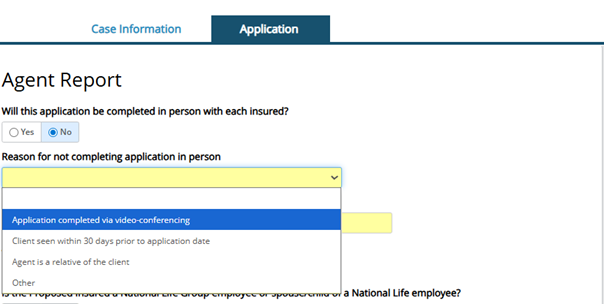
2. Select “Application completed via video conferencing” as the reason the application is not completed in person
3. Choose eSign Face to Face as the signature method
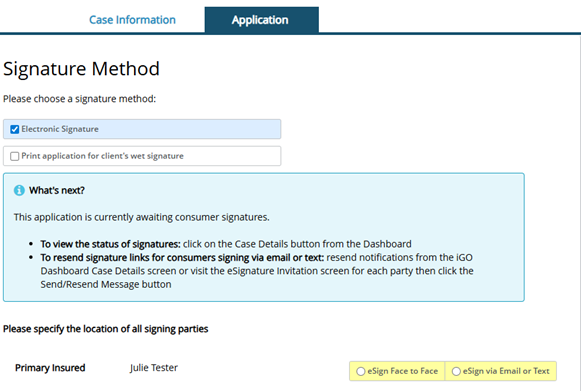
4. Transfer control to the customer for them to complete their e-signature.
5. It is strongly recommended that you do a screen recording when the client uses eSign Face to Face to complete the e-signature process. Save that recording in your policy file.
TC8869949(0426)1