
A faster way to quote and submit RapidProtect applications
Starting April 25, a streamlined application will be available in Agent Portal for RapidProtect, instant decision indexed universal (IUL) life insurance.
You can now generate a quick quote first.
How to get started with the streamlined application
1. Log into Agent Portal
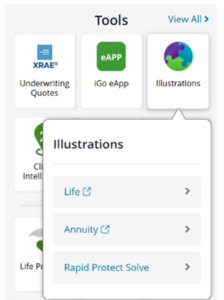
2. Click on the Illustrations tile. You will see RapidProtect Solve listed as an option under “Life” and “Annuity.” You will be taken to a short form instead of to the illustrations system.
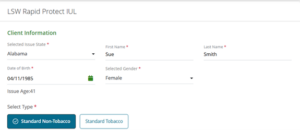
3. Enter basic client information and choose a rate class.
4. Choose the type of quote you want to run.
- Face amount: Enter a face amount from $50,000 to $500,000. Foresight will calculate the monthly premium using the “Rapid Solve” (premium to endow).
- Premium-Death Benefit Focus: Enter a monthly premium. Foresight will calculate the face amount using a target premium solve.
- Premium-Accumulation Focus: Enter a monthly premium. Foresight will calculate the face amount using the minimum death benefit/max cash value solve.

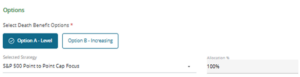
5. Choose a death benefit option (level or increasing) and a crediting option.
6. Click “Get Quote” and review.
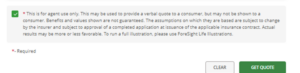
- You can use the result for a verbal quote, but you may not show the quote to the client.
- Make adjustments or send the quote to eApp.
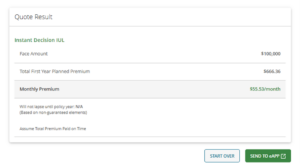
The premium amounts shown in this example are not real data.
Finalize the application in eApp
The application will be prefilled with your information. The illustration can be accessed via the View Forms tab in eApp. A signature is not required for the illustration.
Important:
- ITINs are now accepted in eApp, in addition to Social Security Numbers
- For insureds under age 18, use the illustration system instead of this streamlined option so you can enter the owner’s information.
- Only available for LSW RapidProtect
TC8880983(0426)1